
Your clients will forget 90% of the information you send them in text format within 48 hours.
Plus, without an engaging and effective introduction, your clients will fail to see the immediate value in their purchase, which will lower your customer retention and satisfaction rates.
This is where video onboarding comes in.
In this article, we will show you how to create high-impact experiences with customer onboarding videos to help your clients hit the ground running with confidence and loyalty.
So, let's get started.
New client video onboarding is a virtual "welcome kit" that replaces dense text guides with short, engaging videos to onboard users. They give your clients a personalized overview of your product or service and a friendly introduction designed to build client confidence right from the start.
For example, if you purchase CRM software, you will receive an onboarding video greeting that shows you exactly how you can:
- Log in
- Set up your first project
- Contact support if needed
This will eliminate the need for you to scroll through endless setup instructions.
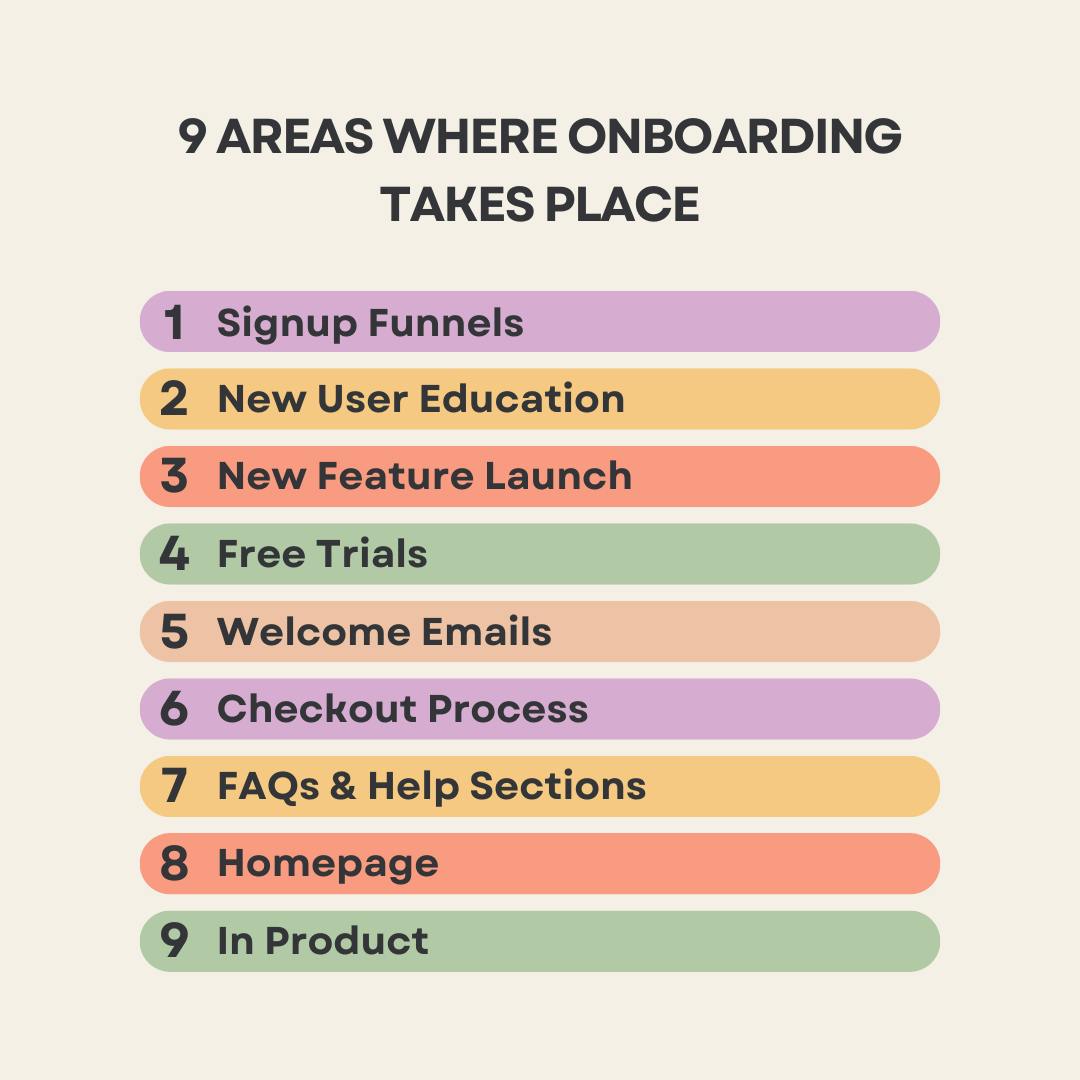
Here's where onboarding typically takes place for your customers:
86% of your customers will stay loyal if you give them a well-structured onboarding experience combined with ongoing education. A great onboarding video combines visual and auditory cues to meet this need of your customers.
It helps you:
- Reduce Onboarding Time: Great onboarding videos walk your clients through key features quickly, helping them get comfortable with your product in minutes instead of hours.
- Boost Client Confidence: They make complex features easy to understand for your customers, increasing satisfaction and trust.
- Enhance Retention: An engaging start reduces confusion, lowers customer churn, and builds loyalty amongst your clients.
- Minimize Support Costs: If you use video onboarding to address FAQs and troubleshoot early, you will cut down on repetitive support queries.
- Increase Referrals: Positive first impressions increase word-of-mouth recommendations, which enhances your brand reputation.
Review your current onboarding process and fill any gaps you find with 1-2 video onboarding strategies below.
1. Use Personalized Onboarding Videos To Create A Memorable First Impression
You can increase customer engagement by 79% with personalized onboarding video messages because they build a genuine emotional connection and make your customers feel valued.
They are more than just a greeting; they tell your clients you care about them individually.
If your customer welcome message or onboarding videos mention your client's name and specifics related to their needs, you will instantly engage them and set a positive tone for your relationship.
Here's how to do this:
- Create engaging, customized onboarding videos. Use Bonjoro for video creation and address your clients by their names. For example, "Hi [Name], welcome to [Product/Service]! Here's a quick tour to help you get started."
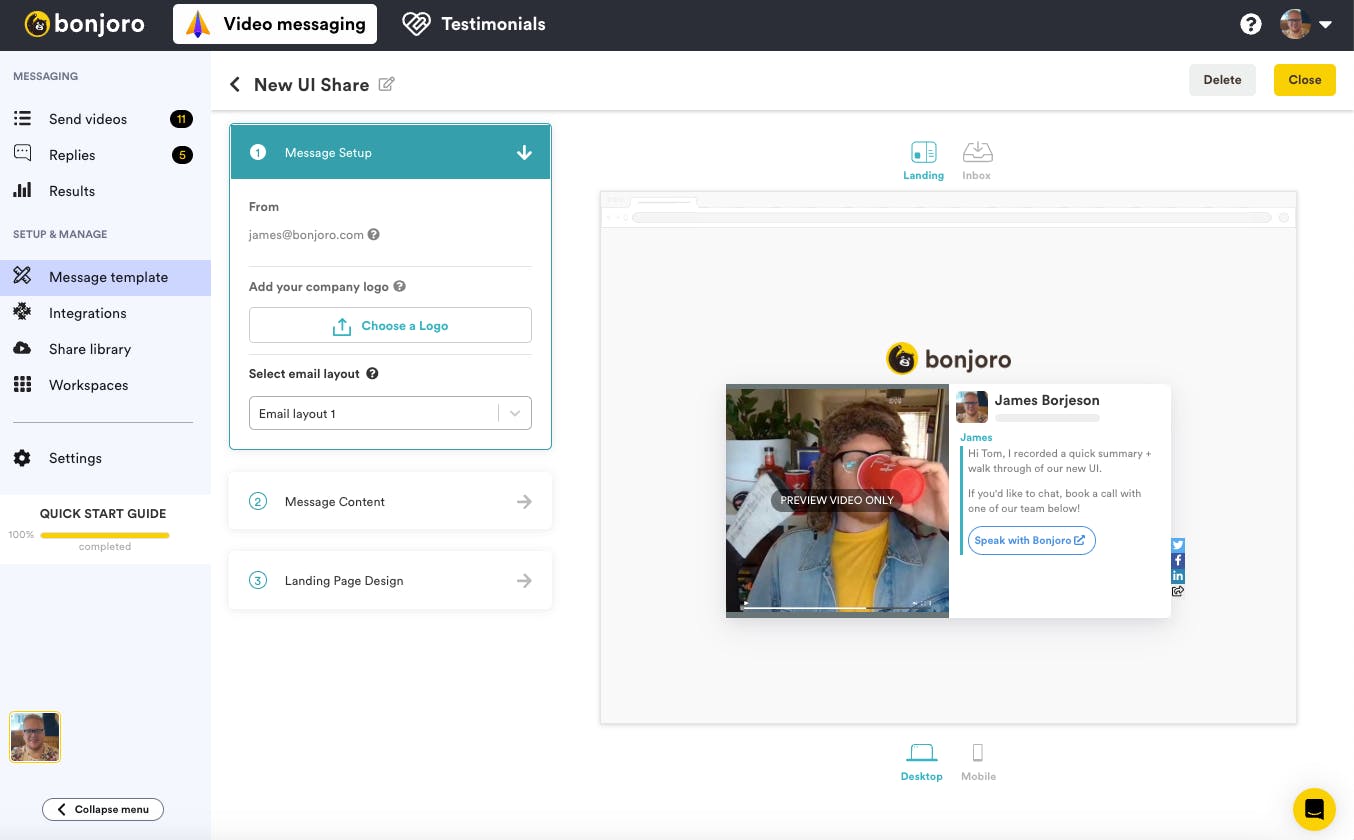
- Briefly mention one primary feature or benefit that is most relevant to the client's industry or business size. This keeps the message concise and impactful.
- Conclude the onboarding video with a question to invite your clients to reply. For example, "What's one goal you hope to achieve with [Product] this month?" This builds rapport and encourages your clients to start a conversation with you.
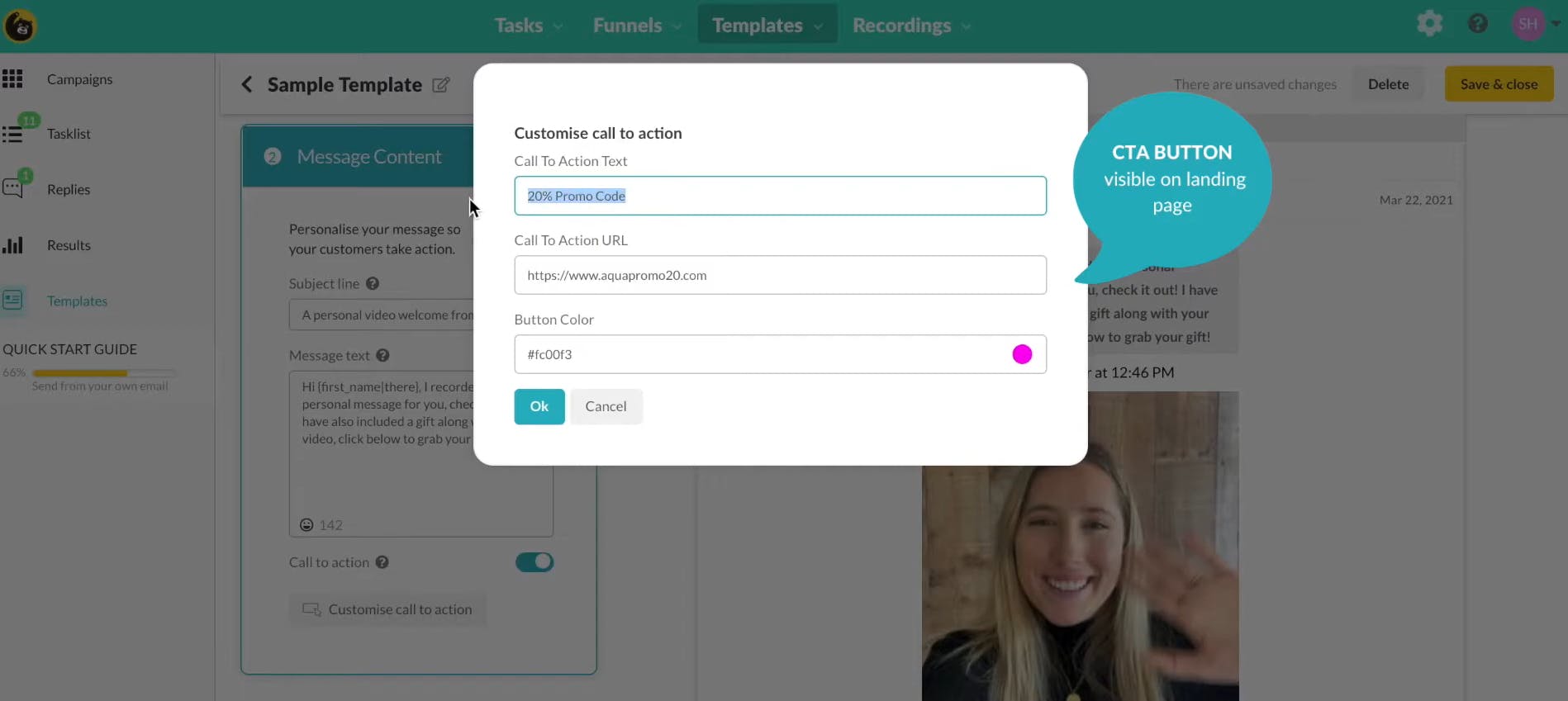
- Add a call-to-action (CTA) to prompt your clients to explore further or set up a session. Link the CTA directly to your calendar or help resources.
- Hire a virtual assistant from Genius if your onboarding process involves specialized roles to help manage onboarding queries more efficiently. This will make your clients feel supported from the beginning, and your team can also respond to inquiries promptly with an effective onboarding program.
- Integrate your CRM with Bonjoro to automate onboarding video triggers so your new customers get a personalized orientation video within 24 hours after they sign up.
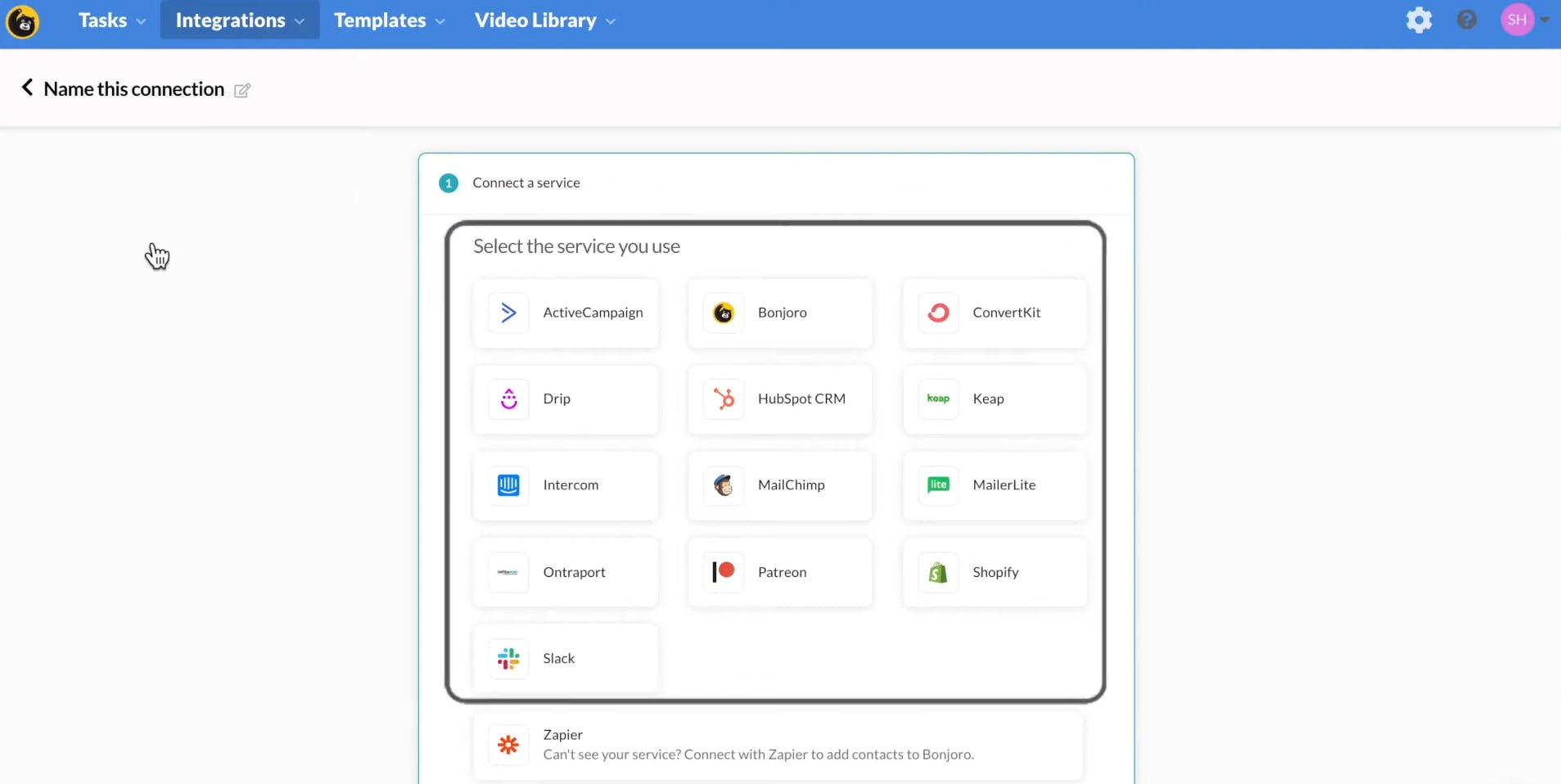
Watch this to integrate Bonjoro with your tools:
This strategy is especially useful for construction or maintenance service-based brands, like Prime Time Window Cleaning and Fortune Restoration, that need to build customer trust by addressing specific pain points like the challenges of residential window cleaning or planning a restoration project.
You can use personalized onboarding videos to highlight the exact steps you take to give your customers quality service and cleanliness to build trust right from the outset.
2. Add A Human Touch To Build A Deeper, More Emotional Connection With Your Customers
57% of your clients prefer a mix of human-guided and self-help onboarding.
A humanized onboarding will show your clients that real people stand behind your brand, which builds trust.
If you feature real team members and representatives, your clients will be more likely to connect to your brand emotionally, which creates a positive, memorable experience.
Do the following:
- Record a short introductory onboarding video with our 9 rules for personal videos for a brief overview. Let your team members briefly say hello, introduce themselves, and mention how they can help the client. This makes the clients feel like they are a part of the brand's community and company culture.
- Add team photos or fun facts about each team member to make the experience more personal and relatable.
- Use a conversational/casual and friendly tone in your onboarding videos, as if you are talking to a friend. Keep the language simple and approachable. Avoid technical jargon that your client may not understand.
- Add contact information and other direct ways for your clients to contact support or the customer success team in the onboarding video description or overlay.
- Invite and encourage your clients to connect on social media, follow your brand or team members on Twitter or LinkedIn, and get to know the company culture and company values more closely. Use a specialized LinkedIn lead generation agency like Salesbread to streamline outreach efforts on the platform and consistently grow your network with qualified leads.
3. Break Down Lengthy & Complicated Video Guides Into Short, Punchy Videos To Create A Strong Onboarding Process
73% of your customers prefer to learn about your product or service via a short video.
On the other hand, long and complicated user onboarding videos can overwhelm them.
So, create a series of short and effective onboarding videos (under 60 seconds). This will let your customers engage at their own pace and focus on key steps one at a time.
Here's what you need to do:
- Create video series playlists to divide your topics into short, focused user onboarding videos. For example, you can organize them into separate playlists for account setup, navigating key features, and accessing support using our video templates so your clients can easily navigate through them.
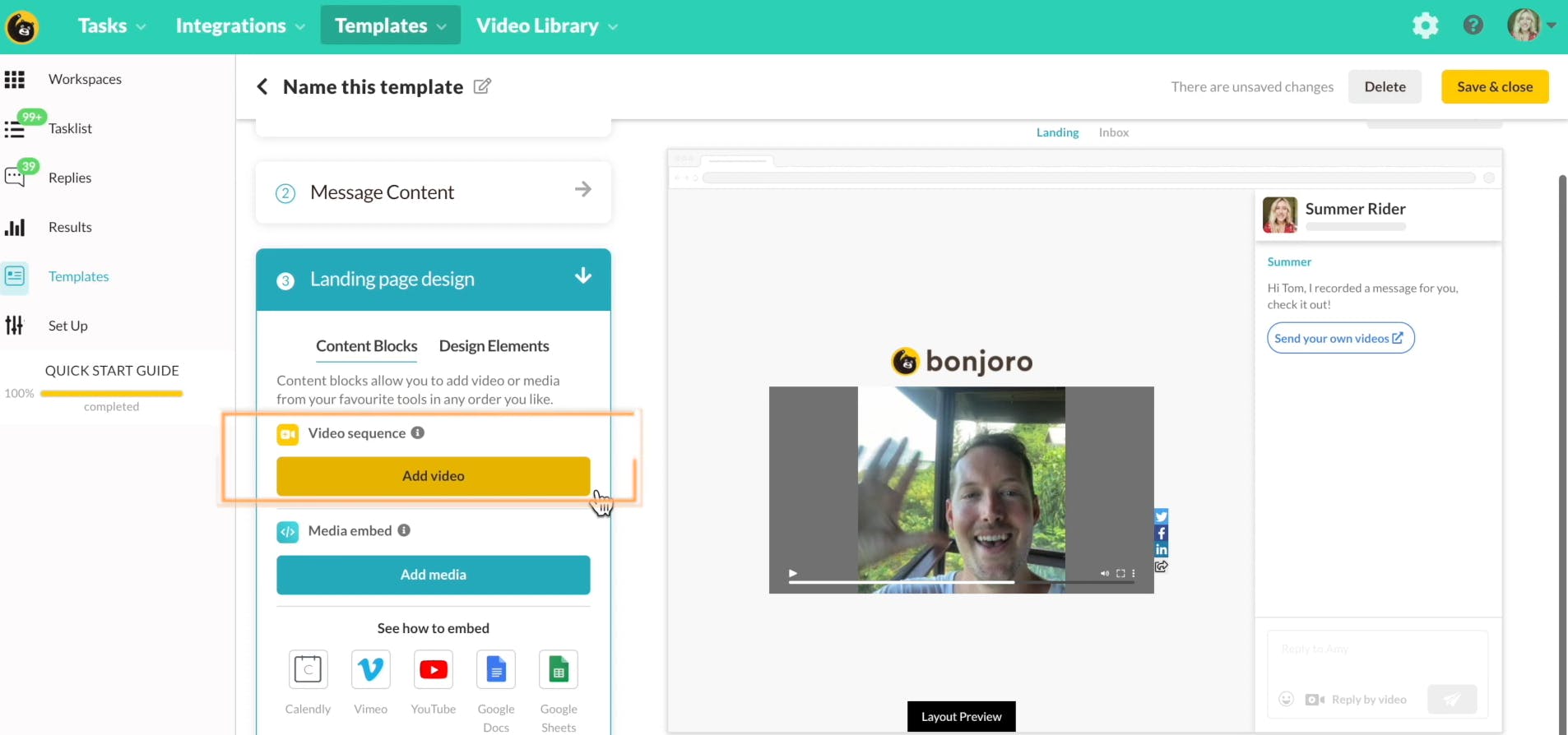
- Add timestamps, progress bars, or other visual cues so your clients know how far along they are in each video. When you mark their progress like this, it encourages them to keep watching.
- Add a logical "next step" prompt or link to the following onboarding video after each short video to guide your clients through the sequence.
- Optimize your onboarding videos for mobile so they are viewable on all the devices your clients may use to watch them.
- Embed these short onboarding videos in your FAQ sections so your clients can quickly find answers when they need them.
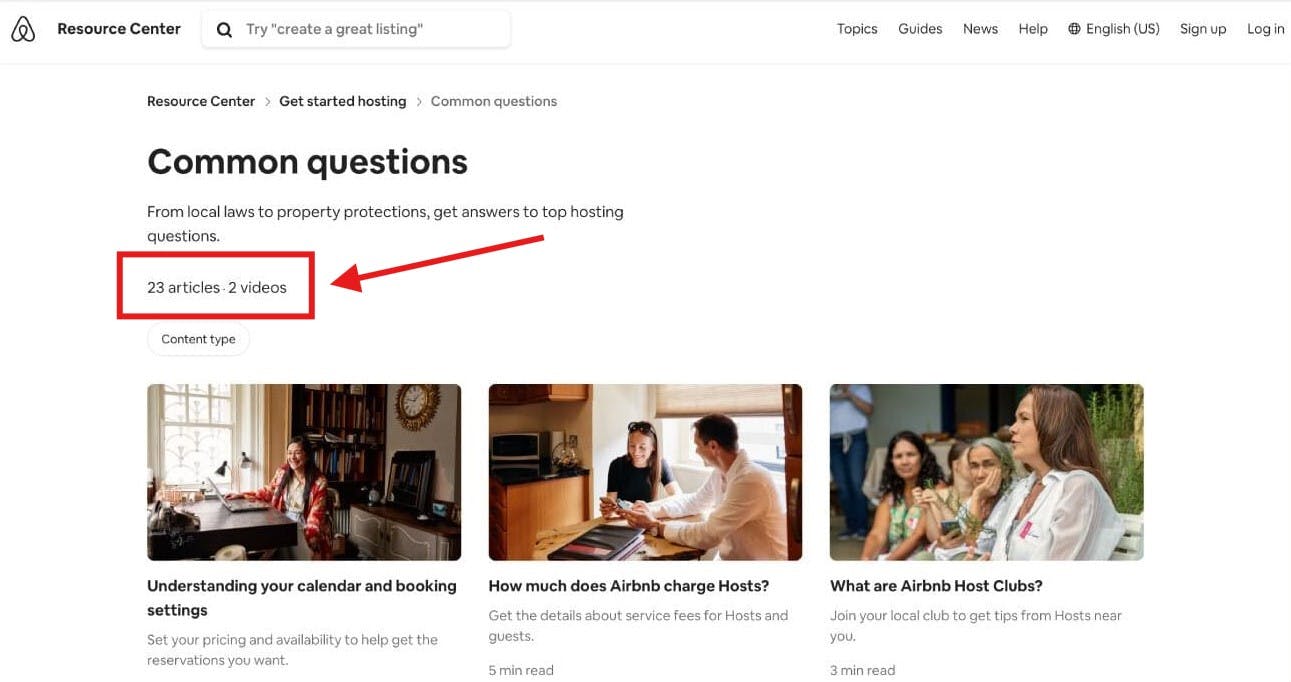
4. Answer Commonly Asked Questions To Reduce Customer Support Costs & Burden
51% of your customers prefer self-service help options like FAQ pages and onboarding videos.
Addressing your clients' FAQs via onboarding videos minimizes repetitive inquiries and empowers clients to find answers independently. This saves time for both your team members and clients.
Do the following:
- Compile top FAQs to start with a list of common client questions. Then, create a brief onboarding video for each answer. Keep each video under 1 minute.
- Use searchable titles for each video according to the question it answers. Use this user-centric web design guide to make it easier for clients to engage with your video content, find what they are looking for through a search function, and feel more connected to your brand.
- Add closed captions to make the video content accessible and convenient for your clients who watch without sound.
- Regularly track and review client questions to update your onboarding videos as necessary and keep all information relevant and accurate.
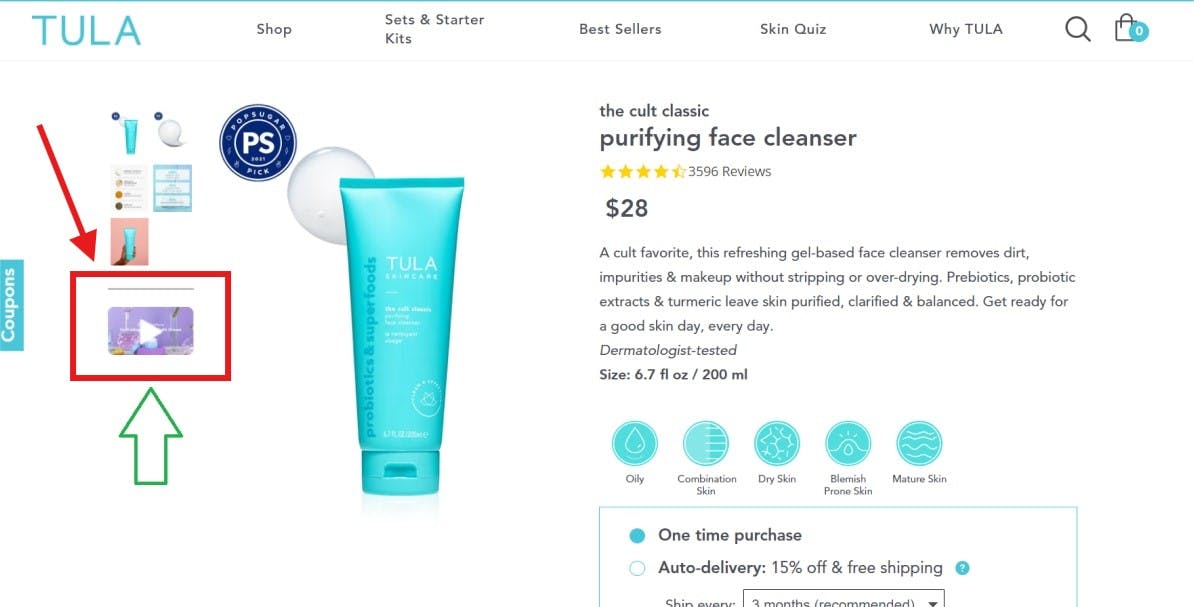
- Embed these onboarding videos on your product pages, help center, and in the relevant sections of your website so your clients have easily accessible videos.
If you operate in an industry where you have to handle critical information and require a high level of user confidence, like the Medical Alert Buyers Guide, this strategy will work especially well for you.
You can use FAQ onboarding videos to answer common questions about product features, safety protocols, and service coverage. This will help your users quickly find the information they need, simplifying the decision-making and onboarding process and increasing trust.
5. Embed Videos In Your Emails Or Website To Streamline The Onboarding Process
You can boost your email click-through rates by 96% with embedded videos, one of the most engaging formats for new customers.
When you embed an onboarding video directly into your emails or landing pages, you make it easier for your clients to access onboarding materials without additional steps.
This improves their overall experience, makes it more accessible, and moves them to take action faster.
Here's what to do:
- Embed a welcome video in your onboarding emails that guides your clients on the next steps to maximize engagement over the first few weeks.
- Use an engaging and captivating thumbnail that clearly represents the video's topic to motivate your clients to click on it.
- Add a quick key tip from the onboarding video in your email body to create curiosity and encourage your customers to watch.
- Place your onboarding videos on high-traffic web pages like the login page, home page, or help center.
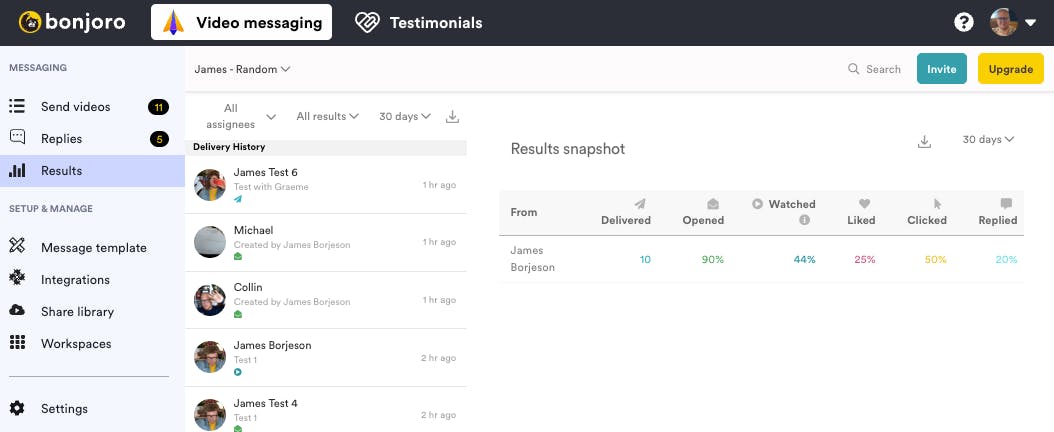
- Use our analytics to monitor engagement rates and see which videos your clients mostly watch. Optimize their placement based on high-performing pages.
This strategy is particularly effective for real estate wholesaling industries or any other sector that requires extensive guidance and education like Real Estate Skills.
You can help your customers navigate complex processes of wholesaling in specific states with embedded onboarding videos that explain all the steps to new investors.
This step-by-step guidance will help you increase trust and retain new clients more effectively.
6. Use Short Videos That Focus On Specific Benefits Of Your New Products Or Features To Increase Interest
Videos that are 30-60 seconds short are the most effective.
You can improve their effectiveness if you focus on a single feature or benefit. This concise approach helps your viewers quickly understand essential information.
They will understand how individual aspects of your product or service can address their unique needs, which makes it easier for them to see the immediate value it brings to them.
Do this:
- Highlight a single feature in every onboarding video and walk your clients through its functions and benefits. Keep these videos short (under 2 minutes), and watch a few onboarding video examples to find inspiration for your videos. You can also use pre-made video templates for this.
- Add an example or use case in video form to illustrate how a specific feature is used in real-world scenarios and make its value more relatable. For example, "Here's how clients like [Client Example] use [Feature] to streamline their workflow."
- Use graphics, text overlays, or visual indicators to point out key benefits as you demonstrate your feature.
- Link these videos within tooltips or your FAQ section to give your clients quick, in-context support as they explore the feature on their own.
- Share these videos on social media platforms like Instagram, which has an average video view rate of 105%. This will help you reach a wider audience base.
Encourage your clients to try out the feature immediately with a "Get Started" CTA button directly within the onboarding video or below it on your website.
Assess your video onboarding strategy and implement any of the following types of videos that best align with your client's journey.
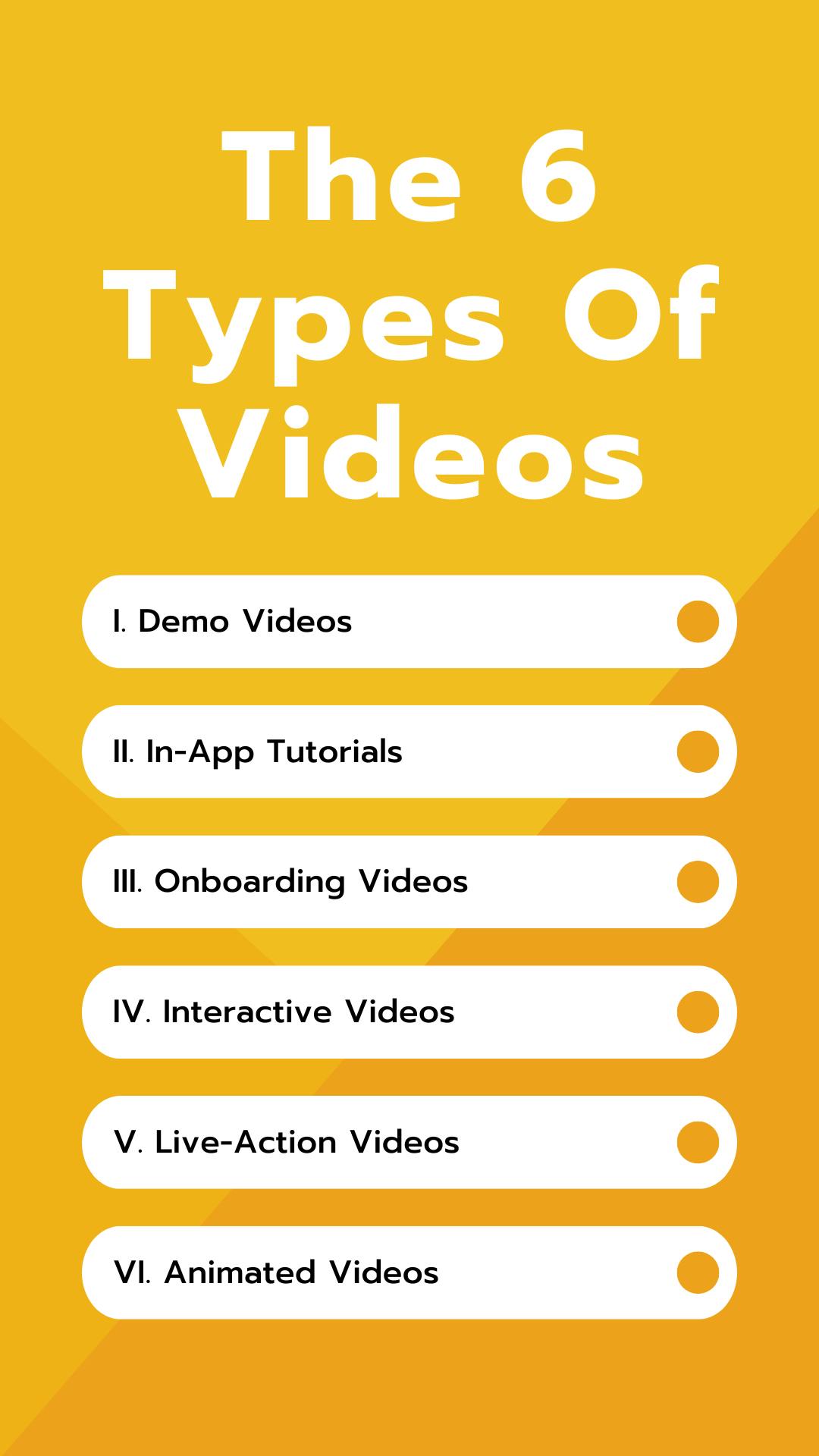
I. Demo Videos
These show your clients how to use your product or service’s specific features or functionalities.
They are best if you want to break down complex tools into simple, digestible steps that help your clients visualize your product in action.
Here's what to do:
- Use real user scenarios to make your demo videos relatable and demonstrate how your clients from specific industries can use the feature.
- Create videos that are short and focus on one feature or onboarding process per demo onboarding video to keep your video content clear and to the point.
- Use visual cues and step-by-step overlays to guide your viewers through each part of the onboarding process.
- Give them the option to replay demos whenever they need to. Embed them in your help center for easy access.
- Add CTAs that direct your clients to other resources or features they might explore and find useful after they watch your demos.
II. In-App Tutorials
These walk your clients through your platform while they actively engage with it.
Use in-app tutorials if you want to guide your clients step-by-step and help them become proficient users of your platform quickly.
Do this:
- Use interactive tooltips that link to relevant tutorial videos to help your clients learn without leaving the platform.
- Highlight high-value features and essential functions that your clients will use frequently to set them up for success with professional videos.
- Give them the option to "Skip" an onboarding video or return to tutorials when needed to respect client autonomy.
- Monitor which tutorials your clients engage with the most to improve or update your videos based on their feedback.
- Link in-app tutorials to FAQs or troubleshooting guides so your clients enjoy a seamless onboarding experience.
III. Onboarding Videos
These give your clients a welcoming, big-picture introduction to your brand.
Use these to set expectations and outline how your clients can get the most out of their experience with your product or service.
Here's what to do:
- Start with a personal welcome message and a warm introduction to make your viewers feel valued and encourage them to engage after they watch the orientation video. A short "Welcome to [Your Company]" sets a friendly tone. Use Ultahost's 9 compelling video content strategies to make engaging onboarding videos.
- Outline key steps or phases and give them a clear, high-level outline of the user journey. For example, create an overview of the main steps your clients will need to follow, like account setup, initial configuration, or accessing essential features.
- Add real customer testimonials and highlight short clips of happy customers discussing their experience with your product. This social proof will reassure new customers and build their confidence in your product or service.
- Use pop-ups, icons, or animations to call out key information without overwhelming your viewers. This will help them recall crucial points in your videos.
- Invite your viewers to complete the first step right after they watch videos. For example, invite them to watch a demo or book an initial consultation with a strong CTA.
IV. Interactive Videos
These engage your clients and let them make choices within the video, like navigating specific topics of their choice.
Use interactive videos to personalize the experience and address individual needs more efficiently.
Do the following:
- Embed navigation options so your clients can select the sections they want to explore within your videos.
- Use visual markers to help clients jump between topics, like "Feature Overview" or "Advanced Tips." Watch onboarding video examples to find inspiration for this.
- Add quick quizzes with brief questions to test your customers' understanding and make sure they retain the right information.
- Personalize the content path and tailor onboarding video segments based on client choices to make each experience unique.
- Give your customers the next steps after each segment. Suggest further actions or videos to keep them engaged.
V. Live-Action Videos
These involve real people and bring a human touch to your onboarding process.
This type builds trust and reliability as your clients connect with the people behind your brand. So, they are best for explaining complex concepts and highlighting your company culture and company values.
Here's what you need to do:
- Introduce key team members or executives to make your clients feel more connected to your company culture and company's vision.
- Demonstrate real-life scenarios and use cases to show your clients your product in action.
- Add behind-the-scenes clips to show how your team creates core values for clients to reinforce commitment and trust.
- Feature customer testimonials to share the experiences of your most satisfied customers to build credibility.
- Optimize your live-action videos for mobile and make sure they are clear and easily viewable on all devices for convenience.
VI. Animated Videos
Animations are very versatile, so they are suitable for explaining complex ideas in a simple, engaging video.
You can use these to easily create characters, scenes, and graphics to illustrate abstract concepts or complex onboarding processes and make them easy for your clients to understand.
Here's what to do:
- Create animated characters that represent your client's personas and illustrate their pain points. Highlight how your product solves their problems.
- Add visual cues like arrows, highlights, or color changes to focus viewers' attention on key steps or features.
- Use your brand colors and logo within the animations to maintain brand consistency.
- Create short, loopable segments so your clients can replay any step when they need to.
- Use fun visuals to make the onboarding experience enjoyable and keep your clients attentive and engaged.
Conclusion
Video onboarding makes your first interactions meaningful, memorable, and effective.
Start with simple steps, like a personalized welcome onboarding video or an explainer video embedded in tooltips. This will lay the foundation for a smooth, engaging client journey that expands as your business grows.
Bring all these strategies to life with Bonjoro, which helps you send personalized video messages, collect and showcase customer testimonials, and embed screen recordings and tutorials.
Get started for free today and see how video onboarding helps you build lasting client relationships.