

Top Course Platforms For Coaches & Educators In 2025
Finding the right course platform isn’t just about picking the most popular option; it’s about choosing the one that fits how you teach and who you are teaching.
With so many options, it’s easy to get lost in feature lists and pricing plans.
This guide simplifies the process, breaking down the top course platforms to date so you can find the best fit to sell your courses right after you are done reading.
Let’s get right to it.
In A Rush? Here Are Our Top Picks For Course Platforms
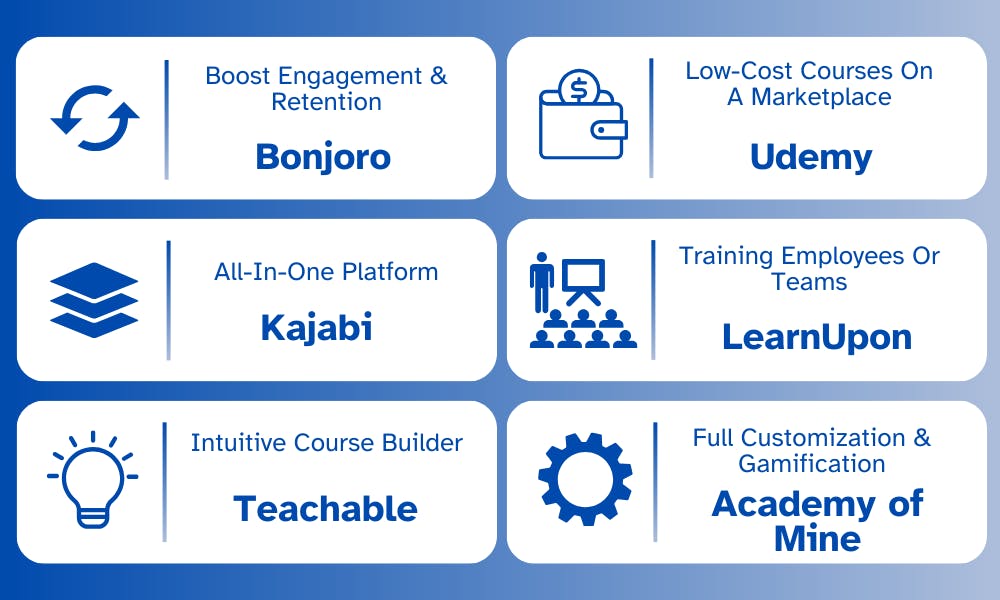
Best Course Platforms For Interactive & Personalized Learning Experiences
Look for the course platform in this list if you want to keep learners engaged, make lessons more interactive, & tailor the experience to their needs.
1. Bonjoro: Ideal For Personalized Student Engagement
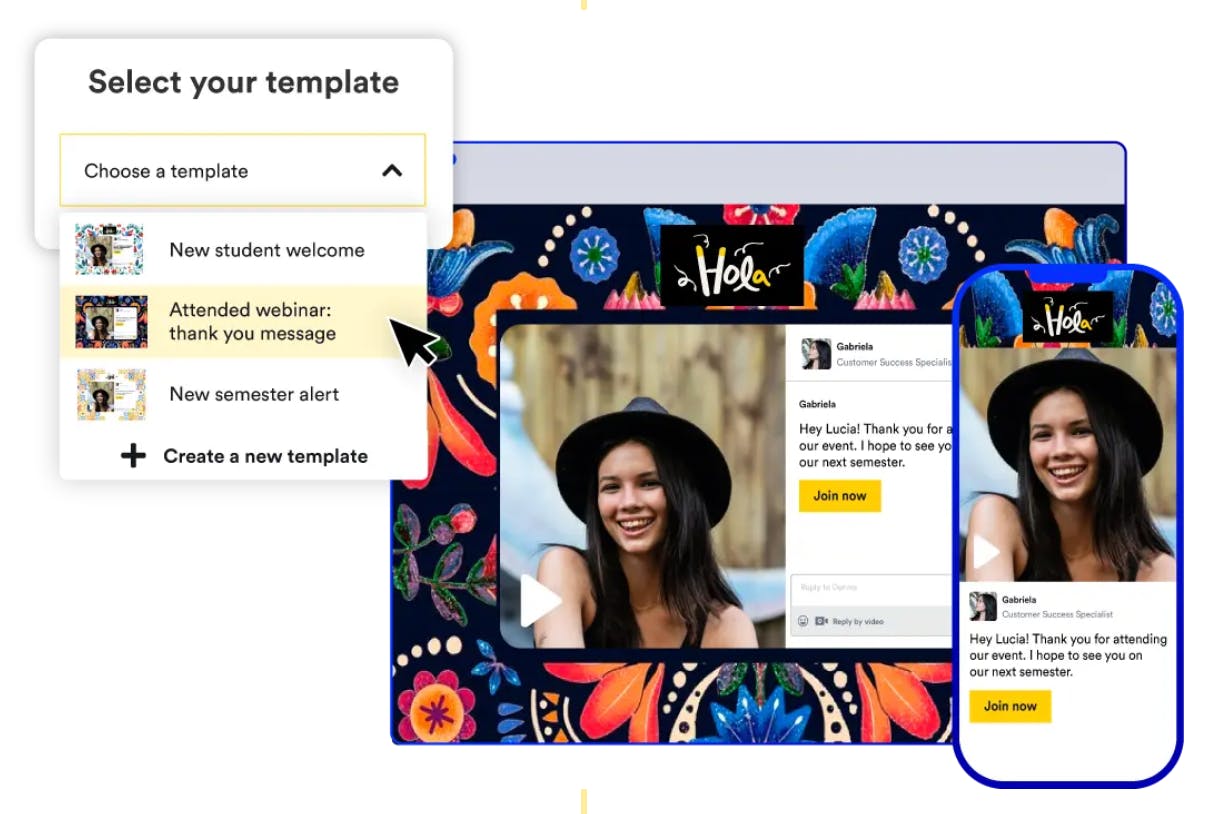
Bonjoro helps coaches & course creators drive engaged students with personalized video messages. Instead of generic emails, you can send quick, tailored videos to welcome students, check in on progress, or re-engage those who are falling behind.
Key Features
- 1:1 Video Messaging: Send personalized videos to increase course completion rates & student satisfaction.
- Automated Workflows: Trigger videos based on student actions like sign-ups or when a module is completed.
- CRM & LMS Integrations: Works with Teachable, Kajabi, Thinkific, Mailchimp, Zapier & more.
- Engagement Tracking: See who opens & watches your messages to follow up strategically.
Pricing
- Free plan available with limited features.
- Paid plans start at $15/month with a 14-day free trial
Pros & Cons
Pros
- Personal touch that stands out from generic emails
- Seamless integration with course platforms
Cons
- Not a full course platform (best as an add-on)
- Limited free plan features
2. Kajabi: Ideal For Simplifying Coaching Workflows & Sales Funnels
Kajabi is a one-stop platform for coaches who want to build, market, and sell courses without third-party integrations. It comes with an AI-powered course assistant that helps outline your modules and lessons. Its built-in sales funnels, email automation, and website-building tools help you focus on teaching instead of piecing together different software.
Key Features
- Course & Membership Hosting: Create structured courses, drip content, & manage memberships all in one place.
- Sales Funnels & Email Automation: Build automated funnels, send emails, & nurture leads effortlessly.
- Website & Landing Page Builder: Design custom course pages & sales pages without coding.
- Built-in Payments & Affiliate Program: Accept payments directly & grow through affiliates.
Pricing
- No free plan, but has a 14-day free trial
- Paid plans start at $71/month
Pros & Cons
Pros
- Advanced sales & marketing automation
- Fully customizable course & website builder
Cons
- Can be overwhelming for beginners
- Higher starting price compared to other platforms
3. Podia: Best For Simple & Scalable Course Selling
Podia keeps things simple, no complicated setup, just an intuitive course builder, built-in email marketing, and flexible pricing options. Whether you are selling a single course or growing a full membership site, Podia gives you the tools to scale without adding complexity.
Key Features
- Easy Course & Membership Setup: Build & launch courses, digital downloads, and memberships in a few clicks.
- Built-In Email Marketing: Send newsletters, drip campaigns, & product updates without extra tools.
- No Transaction Fees: Keep 100% of what you earn (except standard payment processor fees).
- Live Chat & Messaging: Engage with students directly inside your course platform.
Pricing
- 30-day free trial
- Paid plans start at $33/month, with 5% transaction fees on paid tiers
Pros & Cons
Pros
- Simple, user-friendly setup
- All-in-one course & email marketing
Cons
- Fewer advanced automation tools compared to Kajabi
- No AI course creation features
Best Course Platform For Creators Ready To Scale
Look for the course platform in this list if you are ready to grow your audience and turn your knowledge into a thriving business.
4. Teachable: Best For Easy Pricing & Payment Setup
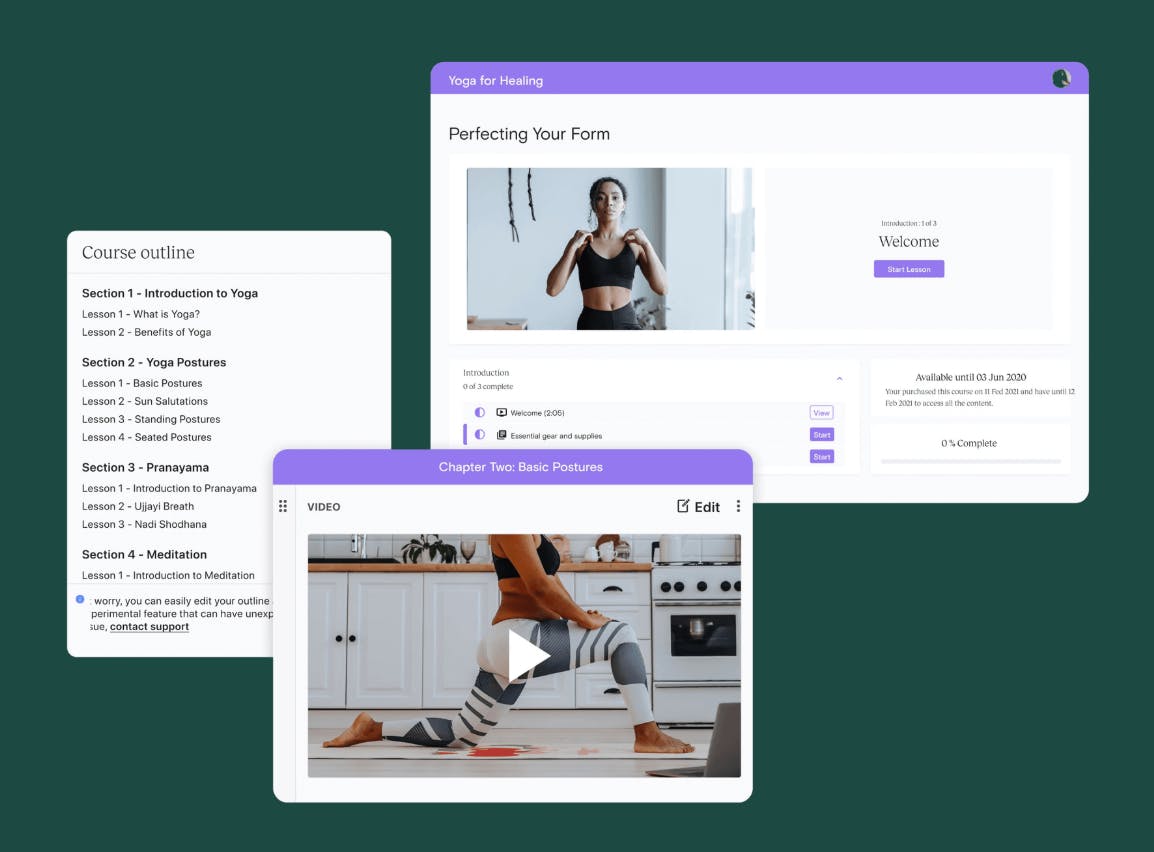
Teachable has an intuitive course builder, student progress tracking, and structured learning tools like quizzes and drip content. It makes course creation simple, allowing you to upload videos, organize lessons, and customize pricing without technical hassle.
Teachable makes it easy to create and sell, tech and startup-focused courses, whether you’re teaching app development or digital transformation strategies. If your course includes a module on outsourcing software development, you could introduce real-world examples of expert developer teams that specialize in helping startups build scalable web and mobile applications.
Key Features
- Flexible Pricing Options: Offer one-time purchases, subscriptions, bundles, or pay-as-you-go models.
- Built-In Payment Processing: Handles payments, taxes, and payouts, so you don’t need external payment tools.
- User-Friendly Course Builder: Drag-and-drop setup with support for video, quizzes, and downloadable resources.
- Affiliate & Student Management: Track student progress and offer affiliate incentives to boost sales.
Pricing
- Has a free trial
- Paid plans start at $39/month, with a 5% transaction fee
Pros & Cons
Pros
- Simple pricing & payment setup
- Handles taxes & payouts for you
Cons
- Limited course customization options
- No built-in community features
5. Thinkific: Best For Creating Fully Branded Courses Without Extra Fees
Thinkific gives you complete control over course design. Unlike platforms with rigid templates, it lets you customize lesson layouts to your fully branded course site. With quizzes, certificates, drip content, and community features, it’s built for those who want to create high-quality, engaging courses while keeping full ownership over their brand and revenue.
Thinkific is an ideal platform for fitness professionals, personal trainers, or sports nutritionists teaching structured programs. If you run a nutrition certification course, you could include a lesson on how different protein sources like this protein supplement impact recovery, featuring real product breakdowns.
Key Features
- Customizable Course Builder: Design courses with your branding, using drag-and-drop tools and flexible layouts.
- Student Engagement Tools: Add quizzes, drip content, certificates, and communities to keep students involved.
- No Transaction Fees: Keep 100% of your earnings, with full pricing flexibility.
- Built-In Website & Landing Pages: Create a fully branded course site without needing extra software.
Pricing
- Has a 14-day free trial
- Paid plans start at $36/month, with no transaction fees
Pros & Cons
Pros
- Full customization & branding control
- Supports quizzes, certificates
Cons
- Can take time to set up fully
- Fewer built-in marketing tools
6. LearnWorlds: Best For Engaging Students With Interactive Learning
LearnWorlds is designed for course creators who want to build engaging, interactive learning experiences instead of static, lecture-style courses. It lets you create adaptive learning paths and add interactive elements like clickable videos and real-time quizzes designed to keep students engaged and improve course completion rates.
This is perfect for skill-based learning, where hands-on practice is crucial, like in beginner guitar lessons, where structured learning and student interaction make all the difference.
Key Features
- Interactive Video & Learning Paths: Add clickable elements, quizzes, and transcripts to make videos more engaging.
- Advanced Student Engagement Tools: Offer quizzes, certificates, gamification, and discussion spaces to boost retention.
- Customizable Course Player: Design a unique learning experience with flexible layouts and themes.
- Mobile App Support: Give students access to courses on the go with a white-labeled mobile app option.
Pricing
- Has a 30-day trial
- Paid plans start at $24/month
Pros & Cons
Pros
- Highly interactive learning features
- Customizable video and course experiences
Cons
- No free plan
- Higher learning curve than simpler platforms
Best Course Platforms For Selling Low-Cost Courses & Marketplace Exposure
Look for the course platform in this list if you want to reach more students, sell affordable courses, & get exposure with built-in marketplaces.
7. Udemy: Best Course Platform For Reaching A Global Audience Without Running Ads
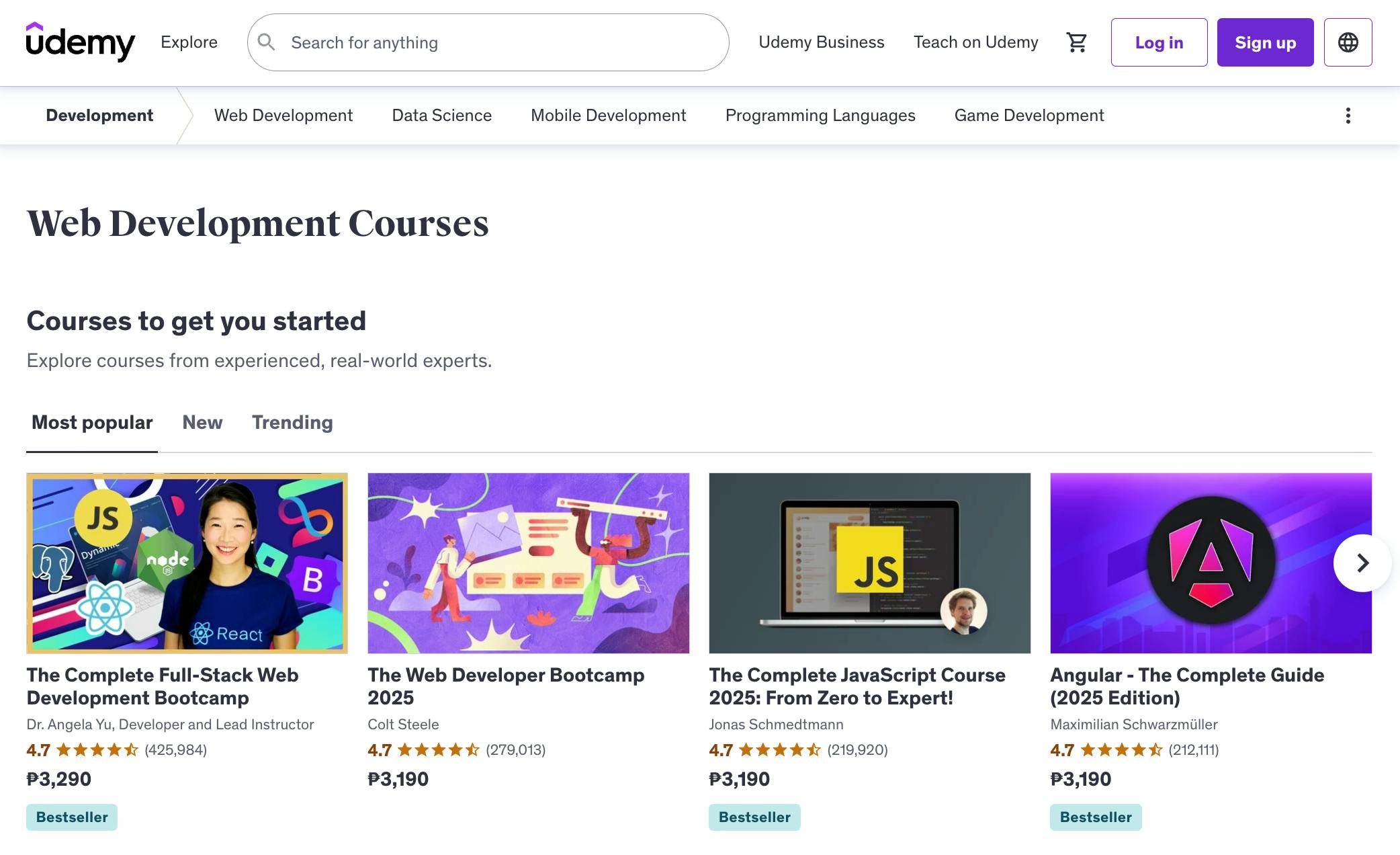
Udemy is designed for creators who want to sell courses to a built-in audience without managing their own marketing. With over 60 million students worldwide, it gets you instant exposure with Udemy’s promotions, discounts, and organic course discovery. If you want a hands-off approach to selling courses, Udemy makes it easy to get started.
Key Features
- Massive Student Base: Get access to over 60 million learners, increasing course visibility.
- Built-In Promotions & Discounts: Udemy markets your course for you, running frequent platform-wide sales.
- One-Time Course Purchases: Sell courses individually instead of relying on subscriptions.
- Instructor Revenue Share Model: Earn 97% of sales from your own promotions & 37% from Udemy-driven sales.
Pricing
- Free to join, Udemy takes a revenue share from sales
Pros & Cons
Pros
- Instant access to a massive audience
- Easy course setup with built-in sales tools
Cons
- Revenue split on Udemy-driven sales
- No direct student ownership
8. Skillshare: Best Course Platform For Recurring Revenue Through Watch-Time Royalties
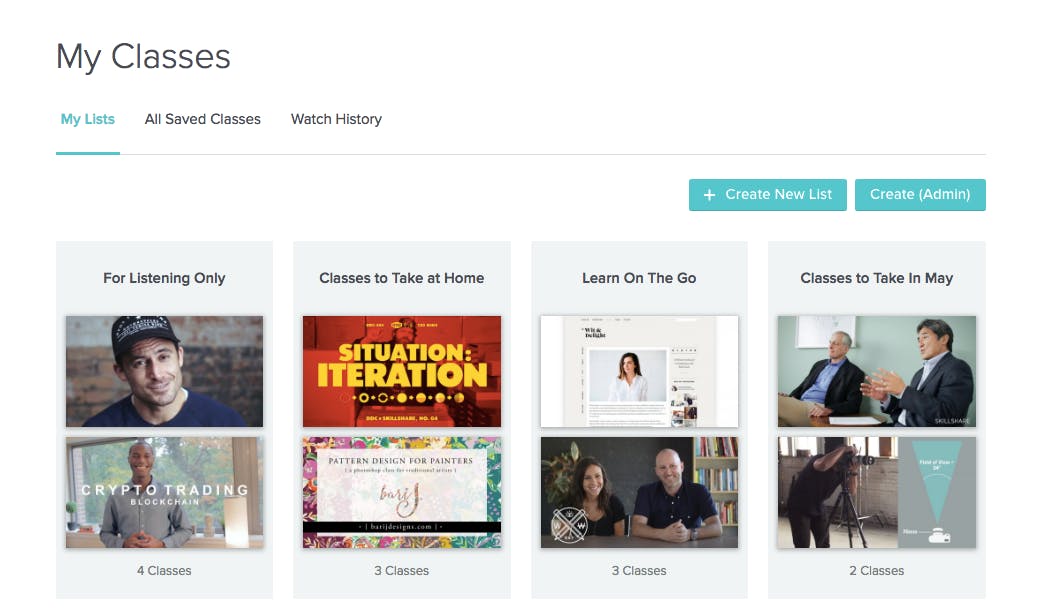
Skillshare is built for creators who want to earn consistent income with a subscription model, where you earn royalties based on total watch time across all your courses. This setup rewards those who create binge-worthy, high-retention content, making it ideal for creators in design, business, hobby, and creative fields who can produce multiple short-form, skill-based courses.
For example, if you are a sports expert who wants to teach topics like how to choose the best baseball bat or how to choose the right golf accessories, Skillshare is a great place to launch a series of bite-sized lessons on swing techniques or optimize your golf setup.
Key Features
- Subscription-Based Earnings: Get paid based on total minutes watched instead of per-course sales.
- Built-In Student Community: Access millions of creative professionals and learners without marketing.
- Multiple Course Formats: Create short-form or in-depth courses in design, business, and creative fields.
- Hands-Off Monetization: No need to manage pricing, discounts, or transactions—Skillshare handles it all.
Pricing
- Free to join, creators earn a share of Skillshare’s membership revenue
Pros & Cons
Pros
- Passive income model with steady royalties
- Great for creators with multiple short courses
Cons
- Payouts depend on overall platform watch time
- Not ideal for long, premium courses
9. Domestika: Best Course Platform For Project-Based Learning In Design Fields
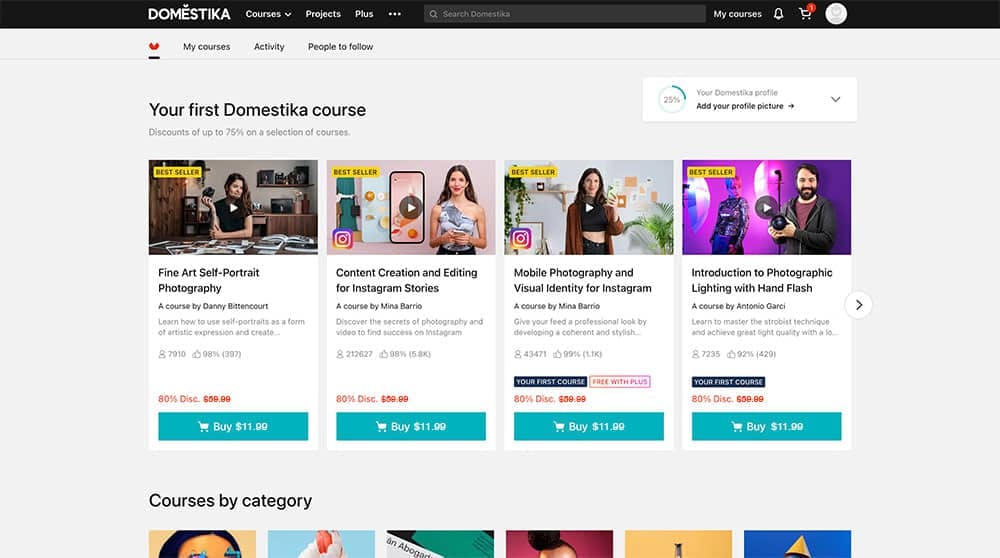
Domestika is built for creators who want to teach project-based courses in creative industries like design, illustration, photography, and animation. Unlike other platforms, Domestika prioritizes professional production value, where coaches create polished courses that feel like mini-documentaries.
Key Features
- Project-Based Learning: Students complete hands-on projects as they progress through the course.
- High-Quality Course Production: Domestika helps instructors create visually polished, studio-level courses.
- Creative & Design-Focused Community: Courses attract highly engaged students looking to refine artistic skills.
- Localized Course Pricing & Subtitles: Sell courses at different price points worldwide with multi-language support.
Pricing
- Free to join, instructors earn a share of course sales.
- Courses are sold individually ($10 - $60), with frequent platform discounts.
Pros & Cons
Pros
- High-quality, professionally produced courses
- Very engaged students with project-based learning
Cons
- Limited to creative & design-related topics
- Platform sets course pricing & runs frequent discounts
Best Course Platforms For Corporate Training Employee Development
Look for the course platform in this list if you want to create engaging learning experiences for your team’s growth.
10. LearnUpon: Best For Compliance-Ready Employee Training
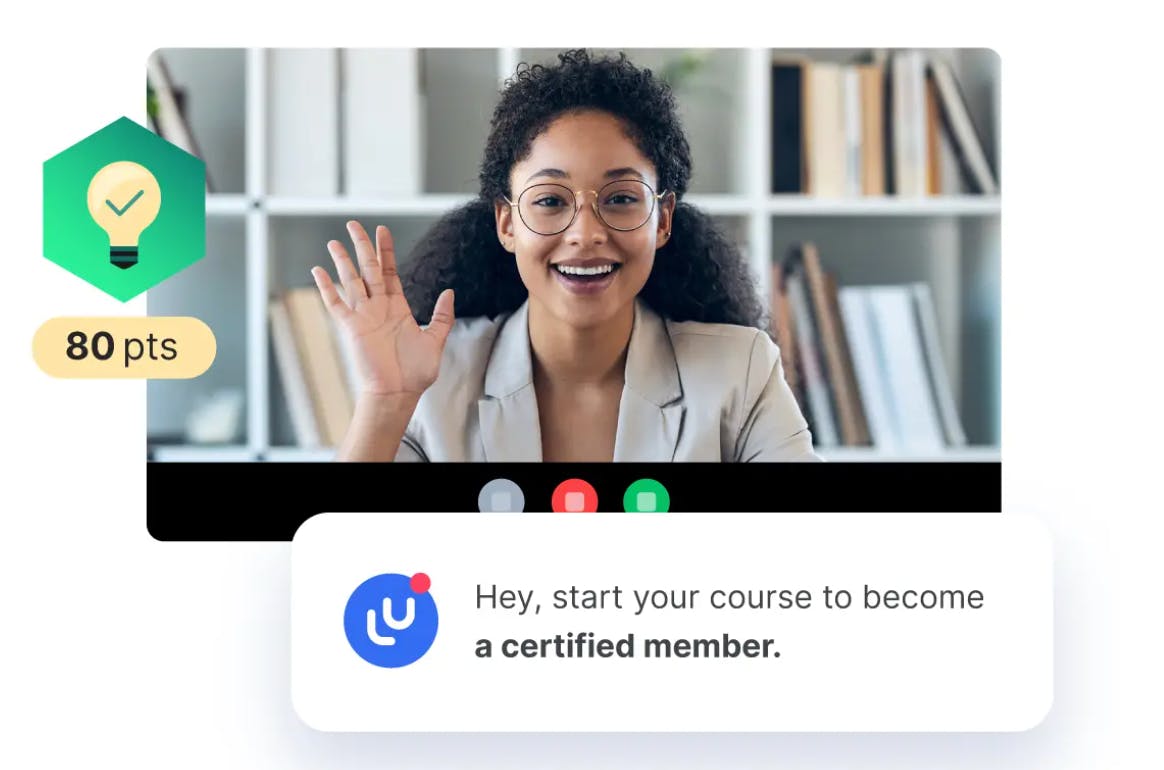
LearnUpon makes it easy to train employees and track progress. Whether you are onboarding new hires or running company-wide compliance training, it helps you create structured courses, automate certifications, and monitor performance in one place. If you need a scalable, no-fuss way to keep your team up to speed, LearnUpon gets the job done.
Key Features
- Compliance & Certification Management: Automate compliance training with certifications, assessments, and renewal tracking.
- Scalable Learning Paths: Create structured training programs with progress tracking and personalized learning paths.
- Advanced Reporting & Analytics: Monitor employee performance with real-time insights and compliance tracking.
- Multi-Team & Partner Training: Deliver role-specific learning for employees, partners, and external teams in one system.
Pricing
- No free plan, pricing is custom based on business needs.
Pros & Cons
Pros
- Scales easily for large teams & global training
- Strong reporting & analytics for performance tracking
Cons
- Requires admin setup for personalized learning paths
- Less flexibility for selling standalone courses
11. Docebo: Best for AI-Driven, Adaptive Corporate Learning
Docebo is built for companies that want to deliver smarter, more personalized corporate training using AI. It helps you automate learning recommendations, tailor courses to employee needs, and track performance in real-time. Docebo’s AI-powered platform ensures everyone gets the right content at the right time, which makes learning more efficient and engaging.
Key Features
- AI-Powered Learning Recommendations: Automatically suggests courses based on employee roles, skills, and learning behavior.
- Customizable Learning Paths: Adapt training programs to individual progress and company goals.
- Performance Tracking & Analytics: Gain deep insights into employee engagement, course completion, and skill development.
- Seamless Integrations: Connect with HR systems, CRMs, and third-party tools for a unified training experience.
Pricing
- No free plan, pricing is custom-based on business needs
Pros & Cons
Pros
- AI-driven learning adapts to employee needs
- Advanced analytics for tracking engagement & performance
Cons
- Learning paths may require admin setup
- Not ideal for creators looking to sell individual courses
12. TalentLMS: Best for Fast & Engaging Workforce Training
TalentLMS offers ready-to-use templates, gamification features, and mobile-friendly access, making it easy to create engaging courses for onboarding, compliance, or ongoing development. If you need a lightweight, flexible LMS that gets employees up to speed fast, TalentLMS is a great choice.
Key Features
- Quick Course Setup: Create and launch training programs in minutes with ready-made templates.
- Gamification & Engagement Tools: Use badges, points, and leaderboards to keep employees motivated.
- Mobile & Remote Learning: Employees can access training on any device, anytime.
- Automated Training & Progress Tracking: Set up learning paths and track employee performance effortlessly.
Pricing
- Free plan available for 5 users
- Paid plans start at $109/month for 40 users
Pros & Cons
Pros
- Quick setup with easy-to-use course builder
- Mobile-friendly for on-the-go learning
Cons
- Fewer advanced AI-driven features than Docebo
- Limited customization compared to Thinkific
Best Course Platform For High-Level Customization & White-Labeling
Look for the course platform in this list if you need full control over branding and customization to create a unique learning experience.
13. Academy Of Mine: Best For Fully Customizable, Enterprise-Grade Training
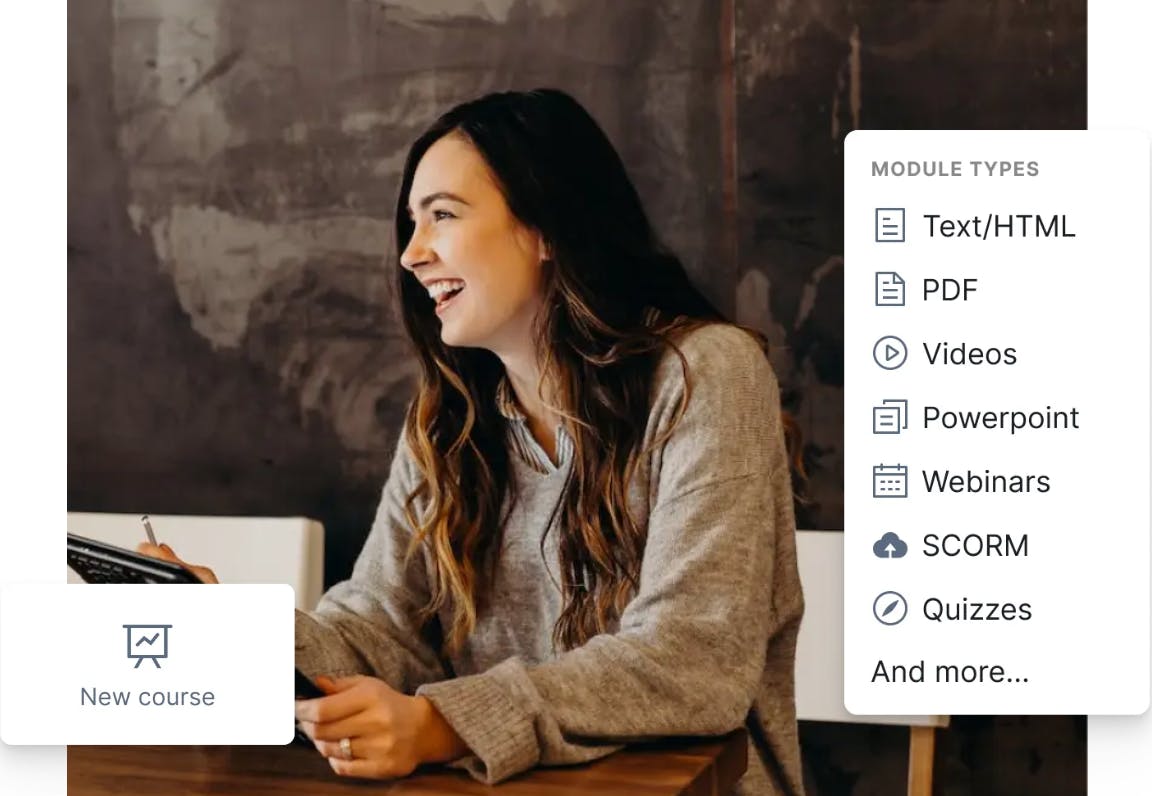
Academy of Mine is built for small to mid-sized businesses needing a B2B-focused training platform for professional development and certifications. It offers full white-label customization, API integrations, and structured certification management. If you need a scalable, highly customizable LMS tailored to your business needs, Academy of Mine delivers.
Key Features
- Full White-Label Customization: Completely rebrand the platform, from domain to UI design.
- Advanced Course & Certification Management: Set up structured training with automated certifications and progress tracking.
- API Access & Integrations: Connect with CRMs, HR systems, and business tools for seamless workflows.
- Enterprise-Level Security & Compliance: Ensure data protection with advanced security settings and compliance tracking.
Pricing
- No free plan, paid plan starts at $999/month
Pros & Cons
Pros
- Full control over branding & platform features
- Enterprise-grade security & compliance tools
Cons
- Expensive
- Not ideal for individual course creators
14. LearnDash: Best For Building A Fully Customizable WordPress LMS
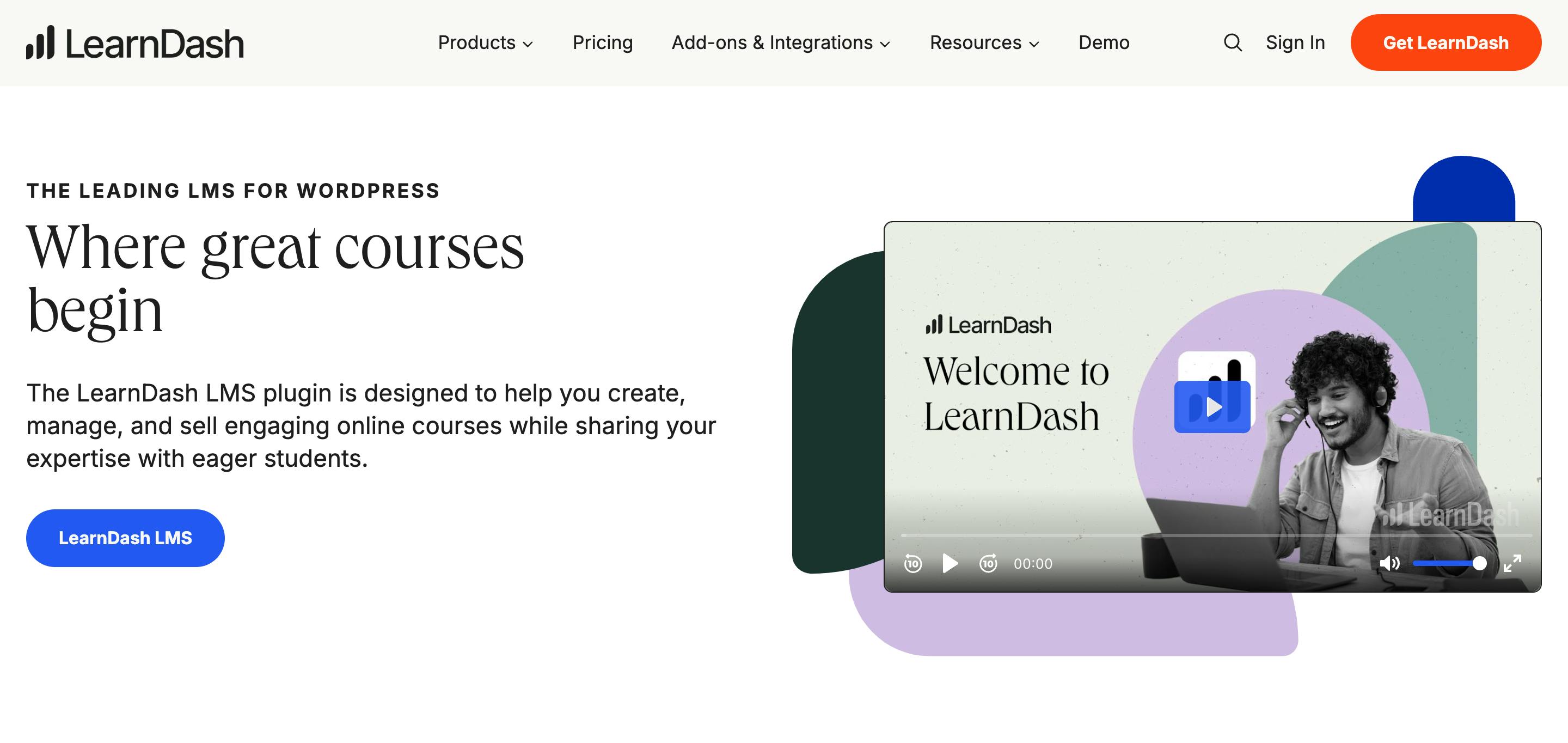
LearnDash is the go-to LMS for course creators who want full control over their online learning platform using WordPress. It offers deep customization, flexible payment options, and seamless integrations. If you want a powerful, self-hosted solution with no platform restrictions, LearnDash is an excellent choice.
Key Features
- Drag-and-Drop Course Builder: Create structured courses with quizzes, drip content, and certificates.
- Full Branding & Customization: Customize the look, feel, and functionality of your LMS without limits.
- Flexible Monetization Options: Sell courses with one-time payments, subscriptions, memberships, or bundles.
- Seamless WordPress Integrations: Works with WooCommerce, MemberPress, Zapier, and other key plugins.
Pricing
- No free plan, paid plans start at $199/year
Pros & Cons
Pros
- Supports multiple payment models & memberships
- Deep plugin integrations for expanded functionality
Cons
- Requires WordPress hosting & setup
- No built-in marketplace for exposure
15. Xperiencify: Best for Gamified & High-Engagement Course Experiences
Xperiencify uses points, leaderboards, progress tracking, and rewards to make learning interactive and engaging. If you want a course platform that keeps students hooked and excited to complete lessons, Xperiencify delivers a dynamic learning experience.
Key Features
- Gamification & XP Points: Reward students with points, badges, and leaderboards to keep them engaged.
- Psychology-Backed Course Design: Uses behavioral triggers to improve student retention and course completion rates.
- Automated Engagement Triggers: Send reminders, unlock rewards, and celebrate milestones automatically.
- Customizable Course Experience: Add interactive elements and branding for a unique learning environment.
Pricing
- No free plan, paid plans start at $99/month
Pros & Cons
Pros
- Gamification boosts engagement & course completion
- Unique experience that sets courses apart
Cons
- Gamification boosts engagement & course completion
- No built-in marketplace for organic discovery
How To Choose The Best Course Platform For Your Needs
Your ideal course platform should align with how you teach, who you teach, and what you need to grow. Here are the key factors to consider:
- Course Type & Structure: Do you need a platform for coaching, self-paced courses, cohort-based learning, or corporate training?
- Engagement Features: Look for quizzes, gamification, communities, or video messaging to keep your students involved.
- Customization & Branding: Some platforms let you fully customize the experience, while others have more rigid templates.
- Monetization & Pricing Options: Consider one-time payments, subscriptions, memberships, or marketplace exposure based on how you want to sell.
- Marketing & Sales Tools: Built-in email automation, sales funnels, and affiliate programs can help attract more students.
- Ease Of Use: A platform should fit your technical comfort level, whether you want a simple setup or deep customization.
- Integrations & Scalability: Make sure it works with your CRM, email provider, or other business tools as you grow.
Conclusion
The best course platform isn’t just about features; it’s about what makes running your course easier and more effective for YOU. Think about what matters most: keeping students engaged, growing your business, or simplifying course management. The right platform should fit how you teach and what your students need.
If keeping students engaged is your priority, personalized check-ins can make all the difference. Bonjoro helps you send quick, friendly video messages that boost motivation, build connections, and improve course completion rates effortlessly.
Try Bonjoro today and see how personalized video can transform your student experience.